


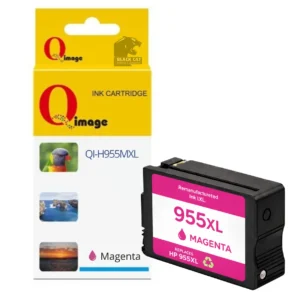


Compatible HP 955XL Cyan Ink Cartridge
High-Capacity Cyan Printing for HP OfficeJet Pro Printers
The Compatible HP 955XL Cyan Ink Cartridge is designed for reliable, high-volume colour printing in supported HP OfficeJet Pro inkjet printers. It delivers consistent cyan output suitable for business documents, colour graphics and everyday office printing.
This is a compatible replacement cartridge for HP 955XL Cyan, manufactured to strict quality standards and tested to ensure dependable performance and accurate colour reproduction.
Estimated Page Yield
Up to 1,600 pages, based on standard 5% page coverage.
Compatible Printers
HP OfficeJet Pro 7720, HP OfficeJet Pro 7730, HP OfficeJet Pro 7740, HP OfficeJet Pro 8210, HP OfficeJet Pro 8216, HP OfficeJet Pro 8710, HP OfficeJet Pro 8720, HP OfficeJet Pro 8730, HP OfficeJet Pro 8732m, HP OfficeJet Pro 8740 and HP OfficeJet Pro 8745.
Key Features
• Compatible HP 955XL Cyan ink cartridge
• High-capacity cyan ink for office printing
• Designed for accurate, consistent colour output
• Tested for reliable performance in OfficeJet Pro printers
• Compatible replacement for HP 955XL Cyan cartridges
Availability
Available in store at Black Cat Printing & Stationery, Blackwood SA, or via Inkjet Online for delivery.
Firmware & Printer Messages
HP printers may display warnings indicating that a non-genuine or compatible ink cartridge is installed. These messages are expected behaviour and do not prevent normal printing. Follow the on-screen prompts to continue.
Installation & Troubleshooting Instructions
If the cartridge is not recognised by the printer:
• Remove the cartridge from the printer
• Gently clean the electrical contacts using a rubber eraser
• Wipe the contacts with a paper towel
• Reinstall the cartridge into the printer
After installation, the printer may display messages such as:
“Low on Ink”, “Ink Exhausted”, “Used” or “Non-Genuine Cartridge”
Select OK, Continue or Yes to proceed with printing.
If there are print quality issues:
• Run the printhead nozzle cleaning function from the printer’s maintenance menu
• If required, repeat the cleaning process 2–3 times using a lint-free cloth
Is this a genuine HP ink cartridge?
No — this is a compatible replacement ink cartridge designed to replace HP 955XL Cyan.
Which printers is this cartridge compatible with?
Compatible with HP OfficeJet Pro 7720, 7730, 7740, 8210, 8216, 8710, 8720, 8730, 8732m, 8740 and 8745 printers.
Will my printer show warning messages?
Yes. HP printers may display non-genuine or compatibility warnings. These are normal and do not prevent printing.
What should I do if the cartridge is not recognised?
Remove the cartridge, clean the electrical contacts gently with a rubber eraser, wipe with a paper towel and reinstall.
Where can I buy compatible HP ink cartridges?
This cartridge is available in store at Black Cat Printing & Stationery in Blackwood SA.
Reviews
There are no reviews yet.